Managing Group Rules in the Dashboard
The dashboard edits the DLP rules stored in Speedscale Cloud. Once a group rule is saved and enabled there, the cloud combines it with the baseline and delivers it to every cluster it covers; nobody has to change a forwarder setting.
This page is the how-to. For what a group rule is, how it relates to the baseline named by SPEEDSCALE_DLP_CONFIG, and how rules combine, read DLP Rules for Multiple Groups first. To author and test rules against local recordings, see Managing Group Rules in proxymock web.
Editing DLP rules in the dashboard requires the admin role.
Find a rule
Open DLP Rules and pick a rule from DLP rule ID. Two banners sit above the editor.
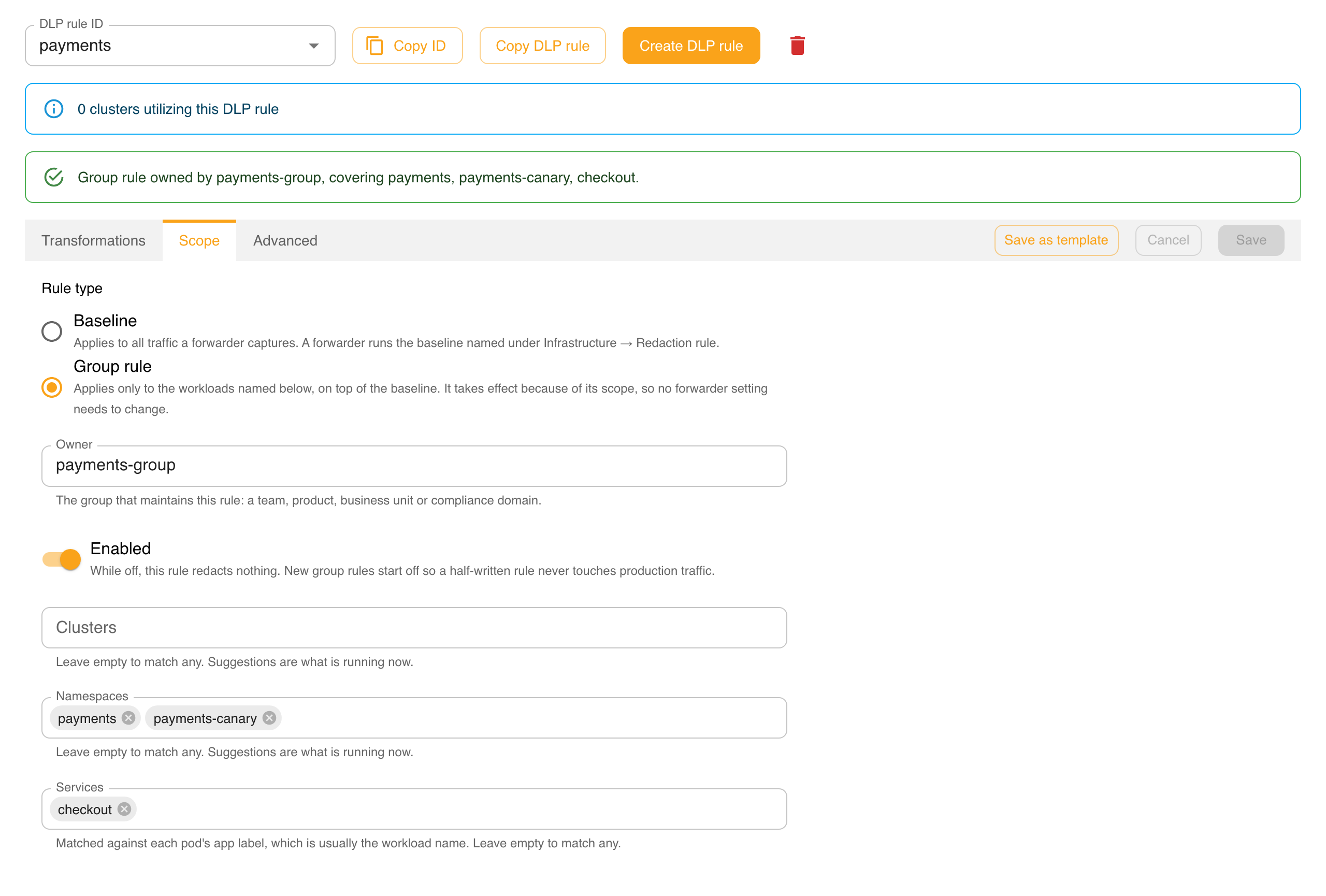
- The summary line says what the rule is: a baseline that applies to all captured traffic, or a group rule with its owner and the workloads it covers.
- The cluster-usage banner counts the clusters whose forwarder names this rule in
SPEEDSCALE_DLP_CONFIG: the clusters using it as their baseline. A group rule is never named there, so it shows 0 clusters even while it redacts traffic. That is expected; the summary line and its scope tell you where a group rule applies.
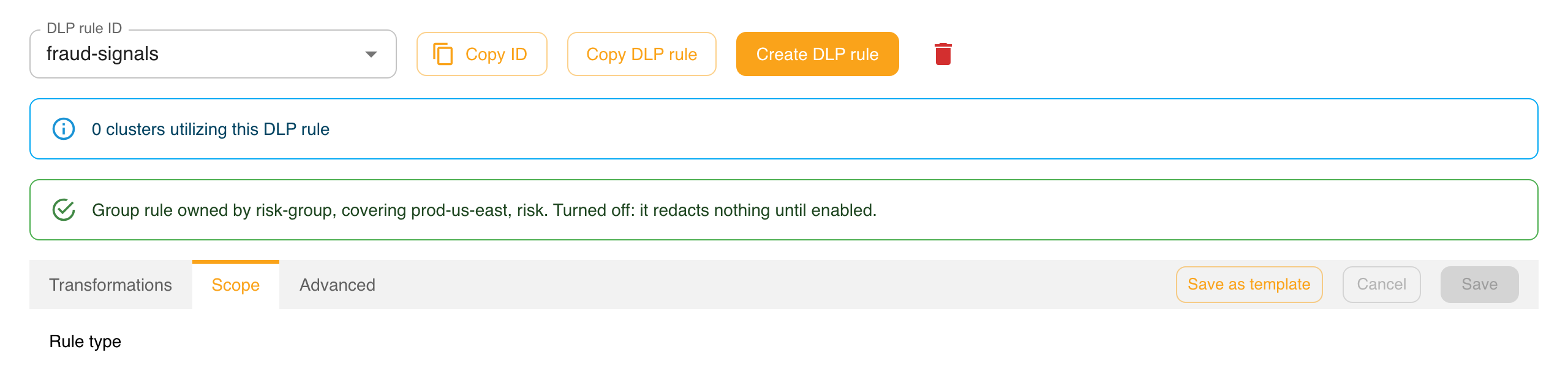
A group rule that is switched off says so in its summary line:
Create a group rule
- Click Create DLP rule and enter an id, for example
payments. - Open the Scope tab and choose Group rule under Rule type. A rule switched to a group rule starts disabled, so it cannot touch production traffic while you are still writing it.
- Fill in Owner with your group's name: a team, product, business unit or compliance domain.
- Name the workloads the rule covers in Clusters, Namespaces and Services. A field you leave empty matches anything, but at least one must name something.
- Add the fields to redact on the Transformations tab, or edit
redactliston the Advanced tab. - Turn on Enabled when you are ready, and click Save.
The Scope tab
The Scope tab holds everything that makes a rule a group rule.
| Control | What it sets |
|---|---|
| Rule type | Baseline applies to all captured traffic. Group rule applies only to the workloads named below, on top of the baseline. |
| Owner | The owner field: which group maintains the rule. |
| Enabled | The enabled field. While off, the rule redacts nothing. |
| Clusters, Namespaces, Services | The rule's scope. Each accepts several values. |
Suggestions come from what is running now
The scope fields suggest names from your live infrastructure (the same lists the Infrastructure pages show), not from every name that has ever appeared in recorded traffic:
- Clusters suggests the connected clusters.
- Namespaces suggests the namespaces in the clusters the rule names, or in every connected cluster if it names none.
- Services suggests the workloads running in the namespaces the rule names. Name a namespace first to see them.
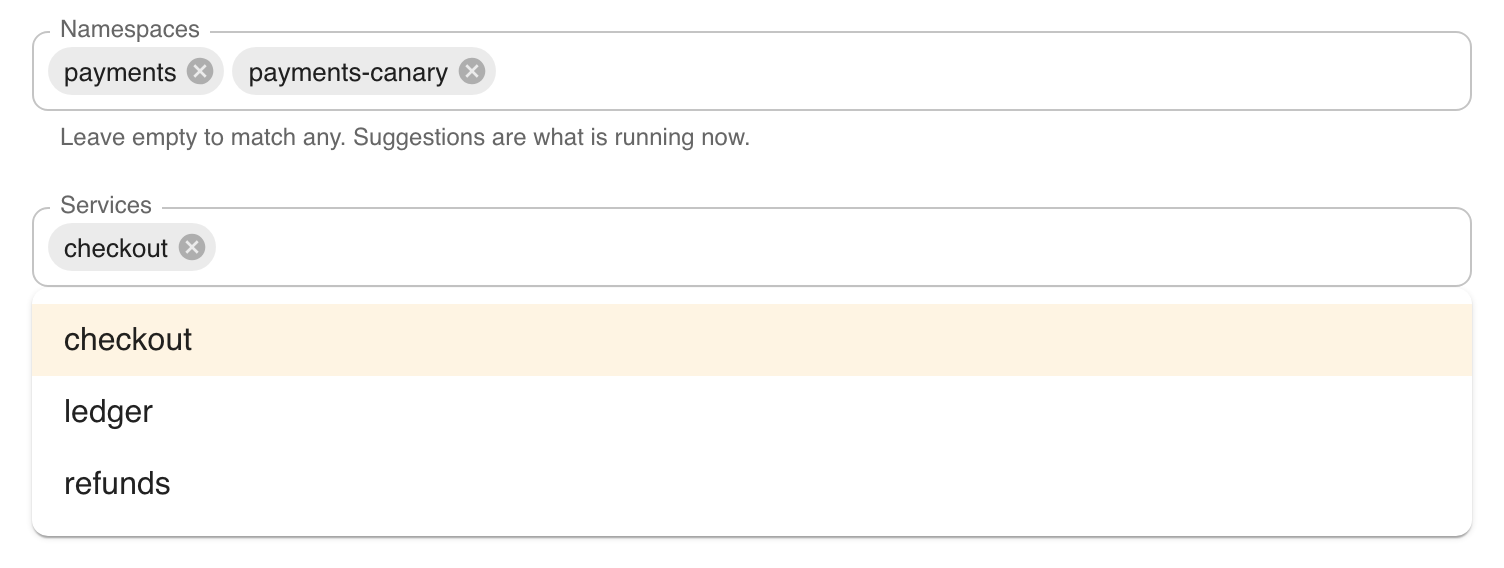
Every field also accepts a name that is not running yet, so you can scope a rule before a service is deployed. A service is matched against each pod's app label, which is usually the workload name.
Save is refused for an empty scope
A group rule whose scope names nothing is refused, with the message Name at least one cluster, namespace or service. A rule that applies everywhere is what the baseline is for; an empty scope would redact every other group's traffic. The check applies on the Advanced tab too, where Save looks at the JSON exactly as typed.
Editing on the Advanced tab
The Advanced tab holds the whole rule as JSON, including scope, owner and enabled:
{
  "id": "payments",
  "name": "payments group redaction",
  "owner": "payments-group",
  "enabled": true,
  "scope": {
    "namespaces": ["payments", "payments-canary"],
    "services": ["checkout"]
  },
  "redactlist": { "entries": { "all": ["cardnumber", "cvv"] } }
}
Edits carry over when you switch tabs: a change typed here shows up on the Scope and Transformations tabs, and the other way round. If the JSON does not parse when you leave the tab, you are asked before it is discarded.
Baseline rules
A rule whose Rule type is Baseline has no scope, owner or enabled switch. Whichever baseline a forwarder runs is chosen per cluster under Infrastructure → your forwarder → Redaction rule, which sets SPEEDSCALE_DLP_CONFIG. Rules maintained by Speedscale, such as standard, are read-only; copy one with Copy DLP rule to change it.
Do not point Redaction rule at a group rule to make it apply. The forwarder treats whatever that setting names as the baseline and ignores its scope, so the rule's redaction lands on every workload.
When a saved rule takes effect
Saving an enabled group rule is all it takes:
- Speedscale Cloud combines each cluster's baseline with every enabled group rule that covers it.
- It tells every connected cluster to reload its DLP rules. Each forwarder resolves its own set again, so only clusters the rule covers end up redacting differently.
- Each forwarder restarts to pick up its rules, which briefly pauses capture. Because the reload is not limited to the clusters a rule covers, batch your edits rather than saving many small changes during busy periods.
Editing or disabling a group rule works the same way, and SPEEDSCALE_DLP_CONFIG does not change at any point.
Deleting a rule does not tell clusters to reload, so forwarders keep redacting with it until they next restart. To retire a group rule, turn Enabled off and save first (that change is delivered), then delete it.
If a cluster has a rule applied directly from proxymock web (the speedscale-forwarder-dlp ConfigMap), its forwarder uses that document and ignores the cloud until the ConfigMap is removed.
Limitations
- The rule list shows ids only. Owner and coverage appear in the summary line once a rule is open.
- No preview of the resolved rules. The dashboard cannot yet show everything a cluster receives; use Preview effective in proxymock web.
- Ownership is advisory.
ownerrecords who maintains a rule; any admin can still edit it.
Related documentation
- DLP Rules for Multiple Groups: the model: baseline, scope, owner and how rules combine
- Managing Group Rules in proxymock web: author and test rules against recordings
- Applying DLP Rules: choosing a forwarder's baseline